
This document introduces the functions and features of the MT and LT series projectors, including function settings, key descriptions, and menu operations.
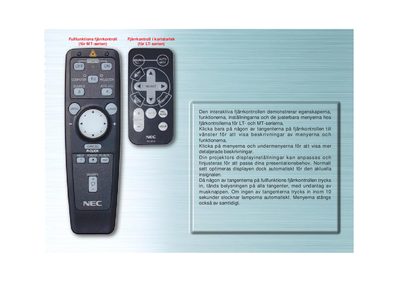
The LT140 full‑function remote control provides access to projector settings, source selection, auto‑adjust, and mouse‑button modes. Buttons light up when pressed, and the display automatically turns off after 10 seconds of inactivity.
The manual describes each button (SOURCE, AUTO ADJUST, COMPUTER/PJ SELECT) and the on‑screen menus for selecting video signals, adjusting image position, and toggling mouse control between projector and computer modes. This manual is written in Swedish.
| LED indicator | blinks when any button is pressed |
|---|---|
| Auto shutoff timer | lights turn off after 10 seconds of inactivity |
| Auto Adjust function | adjusts vertical/horizontal position, clock frequency/phase, and resolution |
| Computer/PJ select | toggles mouse button mode between projector and computer |
Press the AUTO ADJUST button; it automatically adjusts vertical/horizontal position, clock frequency/phase, and resolution when the image is off‑center, has vertical bars, or flickers.
Press the COMPUTER/PJ SELECT button; it lights red and changes the mouse buttons to projector mode, and pressing it again returns to computer mode.
The LED indicators turn off automatically after 10 seconds of no button activity.
Press the SOURCE button; each press cycles through the available input signals (RGB, Video, S‑Video, PC‑card display).