
This document is about the user manual of a DVD recorder, which introduces how to connect TV, connect antenna, connect audio and video cable, use DVD-R and DVD-RW discs and more.
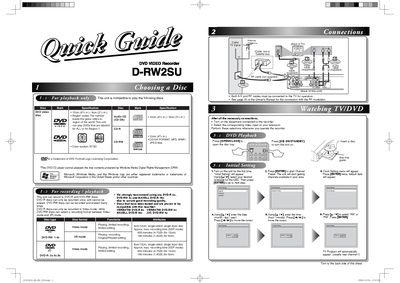
The JVC D‑RW2SU is a DVD video recorder that supports DVD‑R, DVD‑RW, CD‑DA, MP3, WMA and JPEG files. It can play DVDs marked for ALL regions or Region 1 and uses the NTSC color system. Recommended media include VERBATIM DVD‑R 8x, VERBATIM DVD‑RW 2x, MAXELL DVD‑R 16x and JVC DVD‑RW 4x.
The manual provides step‑by‑step instructions for initial setup, clock configuration, DVD playback, recording modes, and timer‑based recordings. It also explains required connections, how to finalize recorded discs, and tips for optimal recording quality.
| Supported disc formats | DVD‑R, DVD‑RW, CD‑DA, MP3, WMA, JPEG |
|---|---|
| Region code support | All regions and Region 1 |
| Color system | NTSC |
| Maximum recording time (8 cm DVD‑RW, SEP mode) | 180 min (1.4 GB) |
| Recommended recording media | VERBATIM DVD‑R 8x, VERBATIM DVD‑RW 2x, MAXELL DVD‑R 16x, JVC DVD‑RW 4x |
| Supported recording speeds (DVD‑R) | 2x‑8x |
| Supported recording speeds (DVD‑RW) | 1x‑4x |
Use the [a/¥] keys to enter the date (month/day/year) and time (hour/minute), moving the cursor with [<4 /] or [4 / ®] and confirming with [ENTER].
Press [TIMER PROG.] to open the timer programming list, select a blank line, set the start/end dates and times, choose the channel and recording speed, then save the program.
It can play DVDs (All or Region 1), Audio CDs, CD‑DA, MP3, WMA and JPEG files.