
WPC300N Wireless-N Notebook Adapter is a 802.11n notebook adapter that uses MIMO technology to provide a strong signal with a long range and high speed. It can connect to Wireless-G and -B networks.
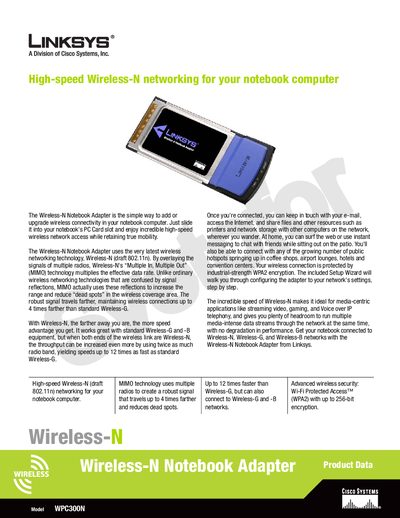
The Linksys WPC300N Wireless‑N Notebook Adapter adds high‑speed 802.11n connectivity to notebook computers via a CardBus slot, offering up to 12‑times faster speeds than standard Wireless‑G and extended range through MIMO technology.
The manual includes a Setup Wizard, plug‑and‑play installation steps, a feature list, technical specifications (standards, power consumption, dimensions, security), package contents, and environmental ratings.
| Interface | 32-bit CardBus |
|---|---|
| Supported Standards | IEEE 802.11b, IEEE 802.11g, Draft IEEE 802.11n |
| Transmit Power (802.11g) | 12+1dBm (Typical) |
| Transmit Power (Wireless‑N) | 10+1dBm (Typical) |
| Receive Sensitivity (802.11g) | 54Mbps @ -70dBm (Typical) |
| TX Current | <900 mA (Maximum) |
| RX Current | <700 mA (Maximum) |
| Dimensions | 4.88 × 0.35 × 2.13 in (124 × 9 × 54 mm) |
| Weight | 1.76 oz (0.11 lb) |
| Operating Temperature | 0 °C to 50 °C (32 °F to 122 °F) |
| Storage Temperature | -25 °C to 70 °C (-13 °F to 158 °F) |
| Operating Humidity | 10 % to 80 % Non‑Condensing |
| Storage Humidity | 5 % to 90 % Non‑Condensing |
| Security | WEP, WPA, WPA2 (up to 256‑bit encryption) |
It supports IEEE 802.11b, IEEE 802.11g, and draft IEEE 802.11n (Wireless‑N).
Slide the CardBus adapter into the notebook’s PC Card slot and run the included Setup Wizard CD‑ROM for plug‑and‑play configuration.
It supports WEP, WPA, and WPA2 encryption with up to 256‑bit security.