
This document is the user guide for the Linksys AE1000 High Performance Wireless-N USB Adapter, which describes the features and characteristics of the product.
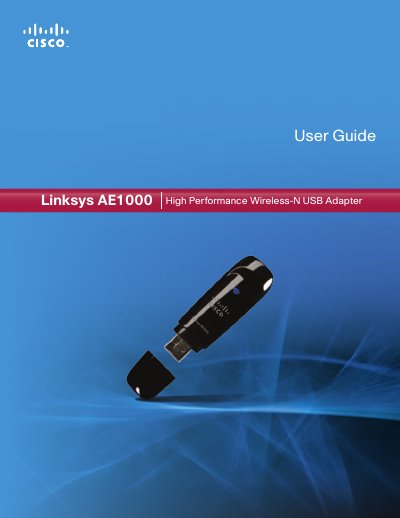
The Linksys AE1000 High Performance Wireless‑N USB Adapter adds fast Wi‑Fi connectivity to Windows desktops and laptops. The guide describes the adapter’s LEDs, USB extension base, and antenna design, and provides safety and regulatory information.
Installation is performed via the supplied CD, followed by inserting the adapter into a USB port. The manual walks you through using the Windows wireless configuration utility to select a network, enter security keys, and verify the connection. Troubleshooting tips and full technical specifications are included in the appendices.
| Model Name | Linksys AE1000 |
|---|---|
| Standards | 802.11a, 802.11b, 802.11g, 802.11n |
| Number of Antennas | 2 Internal Antennas |
| Transmitted Power (2.4 GHz @ 11 Mbps) | 18 dBm ± 1.5 dBm |
| Receive Sensitivity (11 Mbps) | -84 dBm |
| Power Consumption TX (2.4 GHz) | 330 mA |
| Weight | 0.39 oz (11 g) |
Insert the supplied CD into your CD‑ROM drive, run Setup.exe, then insert the adapter into an available USB port on your computer.
Open the Wireless Network Configuration utility, select your network, and enter the appropriate security key (WEP, WPA, or WPA2).
Make sure the adapter is properly inserted into the USB slot or the USB Extension Base, then re‑insert it to ensure a good connection.
All specifications, including standards, antenna count, power levels and dimensions, are listed in Appendix B of the guide.