
Linksys WAP200 Wireless-G Access Point User Guide

This manual introduces the use of Wireless-G Access Point WAP200.
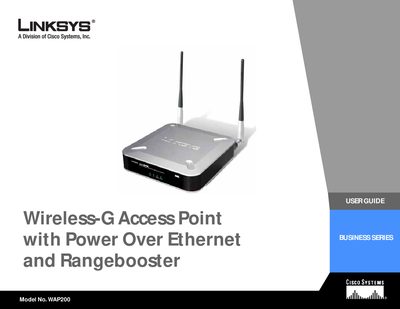

Linksys WAP200 Wireless-G Access Point User Guide - cover page
Brand
Linksys
Category
Other network devices
Document type
User Manual
Language
English
Pages
74
File format
PDF
File size
2.2 MB
Published
08 May, 2012
Updated
30 September, 2023
Model
WAP200
MD5 checksum
E778E056E724F2E95B946CF8326E9320

About this manual

The Linksys WAP200 Wireless‑G Access Point User Guide provides step‑by‑step instructions for planning, installing, and configuring the device. It explains the physical features, LED indicators, ports, antenna placement, and the PoE capability that lets the unit receive power and data over a single Ethernet cable.

The guide also details the web‑based utility for basic and advanced settings, security options, VLAN and QoS configuration, and includes appendices for troubleshooting, firmware upgrades, wireless security, specifications, warranty, regulatory information, and contact details.

What's inside

  • Introduction
  • Planning Your Wireless Network
  • Getting to Know the Wireless‑G Access Point
  • Connecting the Wireless‑G Access Point
  • Setting Up the Wireless‑G Access Point
  • Configuring the Wireless‑G Access Point
  • Administration
  • Status
  • Appendix A: Troubleshooting
  • Appendix F: Specifications

Frequently asked questions

What does Power over Ethernet (PoE) do for the WAP200?

PoE lets the access point receive both data and power over a single Ethernet cable.

How many wireless networks can the WAP200 support?

It can support communications on up to four wireless networks using VLAN technology.

What symbol indicates a warning in the guide?

An exclamation point indicates a caution or warning that could damage the product.

Download PDF (2.2 MB)

More Linksys Manuals


View all Linksys manuals →