
This is the user manual of vivicam 3665
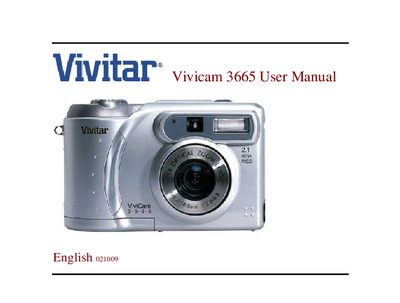
This manual covers safety warnings, battery installation, power‑adapter use, and handling precautions to prevent fire or electrical shock. It also explains how to install batteries, connect the optional AC power adapter, and load memory cards.
The guide details image recording modes, playback functions, and steps for transferring images to a computer via USB drivers. Technical specifications such as sensor type, resolution, lens, and supported file formats are listed at the end of the document.
| Image sensor | 1/2.7" CCD sensor with 2.1 MP |
|---|---|
| Image resolution | 1600 × 1200 (max) |
| Lens | Auto‑focus zoom lens (5.4–16.2 mm) |
| Shutter speed | 1/10 – 1/800 sec |
| Zoom | 3× Optical, 2× Digital |
| File format | JPEG, EXIF 2.1, DPOF, DCF, AVI |
| Internal memory | 8 MB |
| External memory capacity | Fine: 22 images; Normal: 34; Basic: 45 (16 MB) |
| Operating system compatibility | Windows 98/98SE/2000/ME/XP, Mac OS 8.6+ |
| Dimensions | 110 × 51 × 68 mm |
| Weight | ≈230 g (excluding battery and card) |
Insert the batteries with the correct polarity, checking the “‑” and “+” markings before insertion.
Install the USB driver for Windows or Mac, connect the camera via the USB connector, and follow the download steps in the manual.
Do not expose the camera to moisture, high temperatures, or fire‑hazardous conditions, and always disconnect power before moving or servicing it.
The camera uses an external memory card; typical storage holds 22 images in Fine mode, 34 in Normal, and 45 in Basic (16 MB).