
The document introduces a color all-in-one printer called Lexmark S515, which features high-yield cartridges, automatic two-sided printing, and an automatic document feeder. It supports wireless and Ethernet network printing, and can also print from Android or Apple devices. The product uses Vizix 2.0 print technology and has a user-friendly 2.4-inch color LCD screen and time-saving shortcuts. Additionally, it supports functions such as scan to email, customizable copying, and scan to computer.
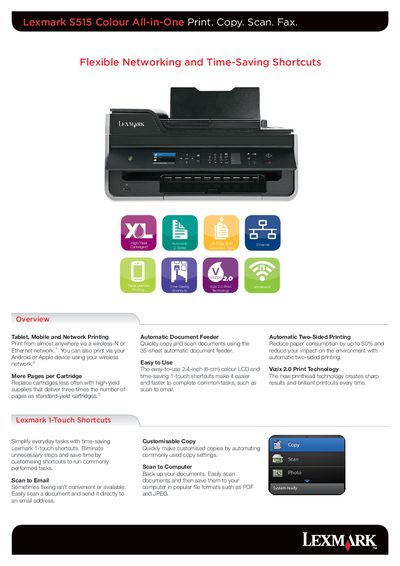
The Lexmark S515 All-in-One printer combines colour printing, copying, scanning, and faxing in a compact device with a 2.4‑inch colour LCD and 1‑touch shortcuts for fast operation. It supports wireless‑N, Ethernet, and mobile printing from Android or Apple devices, and includes an automatic document feeder for up to 35 pages.
The manual lists technical specifications such as Thermal Inkjet print technology, up to 10 ppm black print speed, 4800 × 1200 dpi colour resolution, integrated duplex printing, and a 256 MB memory. Compatibility details cover major Windows and macOS versions, as well as supported media types and sizes.
| Print Technology | Thermal Inkjet |
|---|---|
| Black Print Speed | Up to 10 ppm |
| Colour Print Speed | Up to 6 ppm |
| Print Resolution (Colour) | Up to 4800 × 1200 dpi |
| Duplex Printing | Integrated duplex |
| Scan Technology | CIS with 48‑bit depth |
| Scanner Type | Flatbed with ADF |
| ADF Paper Input Capacity | Up to 35 pages |
| Memory (standard) | 256 MB |
| Weight | 7.96 kg |
| Display | 2.4‑inch colour LCD |
The automatic document feeder can hold up to 35 pages.
It uses Thermal Inkjet print technology.
The recommended monthly page volume is 100 – 500 pages.
It supports macOS (10.4‑10.7) and Windows XP through Windows 7, including 64‑bit versions.