
This document introduces the features and characteristics of Lexmark X4550 multi-function printer, including wireless printing, fast printing, direct printing, flatbed scanning, one-touch copying and so on.
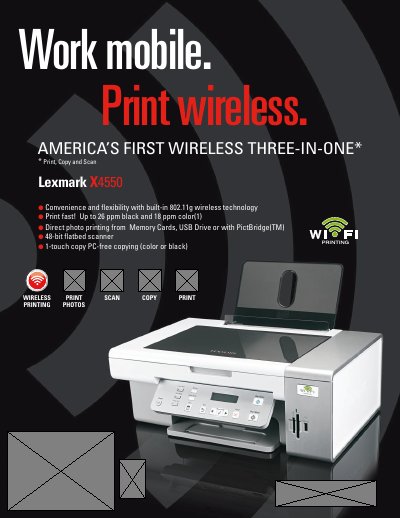
The Lexmark X4550 is a wireless three‑in‑one printer that combines printing, copying and scanning. It features built‑in 802.11g Wi‑Fi (compatible with 802.11b), USB 2.0 connectivity, and a 48‑bit flatbed scanner capable of handling thick books and documents.
The manual provides detailed information on print speeds (up to 26 ppm black, 18 ppm color), print resolution (up to 4800 × 1200 dpi), media handling, cartridge compatibility, and supported operating systems for both Windows and Mac platforms. It also lists physical dimensions, weight, duty cycle, and warranty details.
| Print speed (black) | Up to 26 ppm |
|---|---|
| Print resolution | 4800 × 1200 dpi |
| Scanner depth | 48‑bit color, 16‑bit grayscale |
| Wireless standard | 802.11g (compatible with 802.11b) |
| USB interface | USB 2.0 |
| Paper input capacity | 100 pages (20 lb/75 gsm) |
| Paper output capacity | 25 pages (20 lb/75 gsm) |
| Maximum monthly duty cycle | 3000 pages |
| Dimensions (H × W × D) | 7.0 × 17.8 × 12.8 inches |
| Weight | 12.7 lb |
It has built‑in 802.11g Wi‑Fi and is compatible with 802.11b networks.
The printer can print up to 26 ppm in black and up to 18 ppm in color.
It can hold up to 100 pages in the input tray and up to 25 pages in the output tray.
Supported OSes include Microsoft Windows XP, Vista, Windows 2000 and Apple Mac OS X 10.3‑10.4.