
This booklet provides instructions for using an industry standard single line telephone set with the Samsung DS 616. A variety of single line sets from many different manufacturers are available. Check with your service and installation company to ensure proper operation with the Samsung DS 616 system. Please take the time to study this guide and to become familiar with the operation of your telephone.
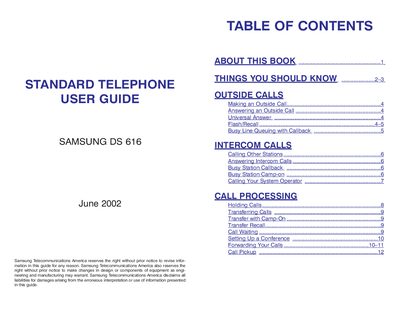
This guide provides step‑by‑step instructions for using the Samsung DS 616 standard telephone, including making and receiving outside and intercom calls, call holding, transferring, and conferencing. It also explains system tones, dialing features, and how to program speed dial, account codes, and other convenience functions.
The manual details call forwarding options, Do Not Disturb handling, station and group call pickup, and how to change the station passcode. It includes a personal speed‑dial list and a reference table of programmed numbers, helping users become proficient with the telephone’s features.
| Maximum account code length | 12 characters (including * and #) |
|---|---|
| Personal speed‑dial list capacity | up to 50 numbers per station |
| Maximum conference parties | 5 parties (you + 4 others) |
Lift the handset to get the internal dial tone, dial the access code (usually 9), then dial the telephone number and replace the handset to finish.
Lift the handset and dial 601 followed by the destination extension or group number, then you will hear a confirmation tone.
Lift the handset and dial 19 to redial the last telephone number.
Lift the handset, dial 15101, then enter your current passcode followed by the new four‑digit passcode, and confirm with another dial of the new code.