
The manual introduces the DST function and the database function of 2515 watch
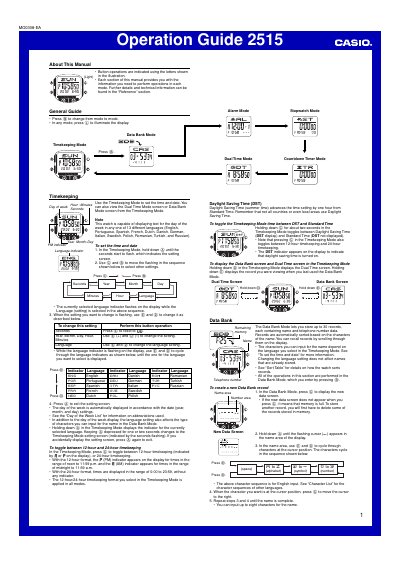
This operation guide covers all functions of the Casio 2515 digital watch. It explains basic navigation, button operations, and how to switch between modes such as Timekeeping, Data Bank, Alarm, Stopwatch, Countdown Timer and Dual Time.
Each mode section provides step‑by‑step instructions for setting the time and date, managing contacts, configuring up to five alarms, using the stopwatch and countdown timer, and activating the LED backlight. The reference section lists technical details, language options, and automatic features like Auto Display and Auto Return.
| Stopwatch display range | 23 hours, 89 minutes, 59.99 seconds |
|---|---|
| Data Bank capacity | Up to 30 records |
| Alarm capacity | Up to five independent alarms |
| Countdown timer range | 1 minute to 24 hours |
| Backlight type | LED backlight |
Enter Alarm Mode, select the desired alarm number, hold down @) until the hour setting flashes, adjust the hour, minute, day, and month with ©) and @), then press @) to exit the setting screen.
Press © to start the stopwatch, press ©) to record a split time, and press © again to stop. The stopwatch continues running up to 23 h 89 m 59.99 s and can be reset after stopping.
In any mode, press the backlight button (2) to illuminate the display for about one second.