
This document is the instruction manual for Philips Institutional Television New Master Setup Remote
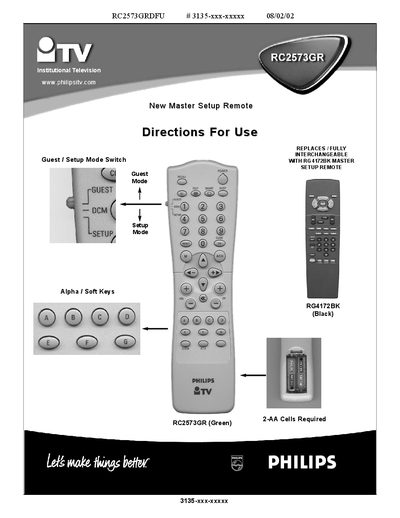
This manual describes the Philips RC2573GR master setup remote used to configure Institutional televisions. The remote can switch a TV between Commercial mode—where front‑panel controls may be locked and features limited—and Consumer mode, which provides standard TV operation and full menu access.
The document explains how to place the remote in setup mode, access the Institutional menu, and use the remote with other Philips iTV products. It also lists the menu items available in each mode and specifies the required 2 AA batteries for the remote.
| Battery requirement | 2 AA cells |
|---|---|
| Interchangeability | Fully interchangeable with RG4172BK master setup remote |
Place the RG4172BK or RC2573GR setup remote in setup mode and press the M (menu) button.
The remote requires two AA cells.
Yes, it is fully interchangeable with the RG4172BK master setup remote.