
Benefits of Lifeline CarePartner 6800 Communicator include enhanced audio performance, subscriber-friendly help call messaging, consumer-oriented user manual and packaging, and activation voice prompts
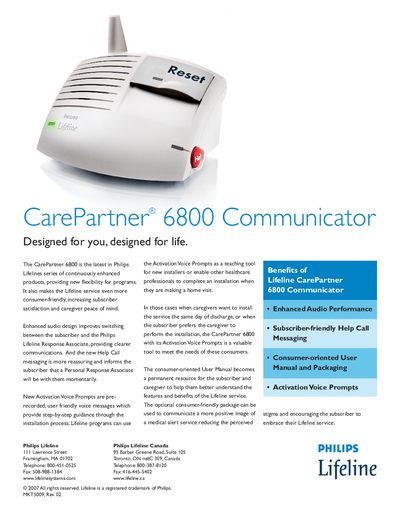
The CarePartner 6800 Communicator is part of Philips Lifeline’s medical alert system. It provides enhanced audio performance, clear Help Call messaging, and optional Activation Voice Prompts that guide installers and caregivers through setup. The device supports up to eight Personal Help Buttons and includes safety features such as continuous line and power monitoring, low‑battery alerts, and a 30‑hour battery backup.
The manual covers installation steps, troubleshooting indicators (e.g., flashing green light for trouble), and detailed specifications. It also describes optional packaging, compatibility with telephone lines, and compliance with FCC, UL, and Canadian regulations.
| Color | Talc |
|---|---|
| Size | 7 inches wide, 6.5 inches high, 6.5 inches deep |
| Weight | 3 lbs |
| Power Requirements | 120 V 60 Hz 50 mA |
| Operating Temperature | 32 °F (0 °C) to 120 °F (45 °C) |
| Battery Backup Duration | Up to 30 hours |
| Maximum Personal Help Buttons | Eight |
| Compliance | FCC Part 15 & 68, UL 1637, Industry Canada RSS‑210, CS‑03 |
The device provides up to 30 hours of battery backup.
Up to eight Personal Help Buttons can be connected.
A flashing green light indicates a trouble condition and the unit will announce the problem type.
A voice message confirms that the Help Call has connected with the Philips Lifeline Response Center.