
The DVR 850W is a waterproof digital video camcorder that allows users to capture video and still images and transfer them to a PC or TV via a USB cable.
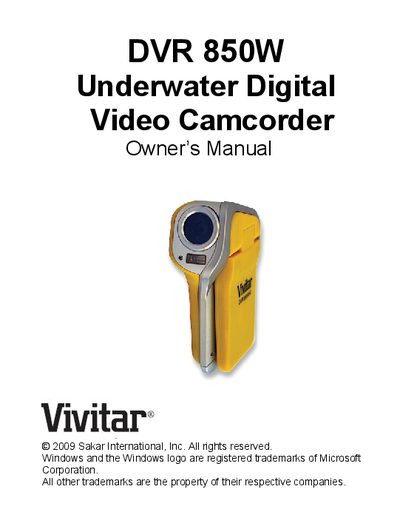
The DVR 850W is an underwater digital video camcorder that records video and still photos. It can operate up to 3 meters (10 feet) underwater and supports SD memory cards up to 8 GB for expanded storage. Key features include 4 operating modes, VGA and QVGA video resolutions, an 8.1‑megapixel sensor with multiple photo resolutions, a 2.4" TFT LCD, 8× digital zoom, 64 MB internal memory, and a built‑in microphone.
This manual covers everything you need to get started: installing the lithium battery, inserting an SD card, connecting the camcorder to a PC or printer via USB, installing the Snap ‘n Share Pro and Video Express software, capturing video and photos, playback options, AV output, and troubleshooting. It also provides safety and care guidelines for underwater use and storage temperature limits.
| Video resolutions | 640x480 (VGA), 320x240 (QVGA) |
|---|---|
| Photo sensor resolution | 8.1 MP (3320×2490), 5 MP (2592×1944), 3 MP (2048×1536), VGA (640×480) |
| LCD display | 2.4" TFT LCD |
| Digital zoom | 8× |
| Internal memory | 64 MB |
| External memory support | SD cards up to 8 GB |
| Maximum underwater depth | 3 m (10 ft) |
| Operating temperature | 0‑40 °C |
Open the battery cover by pushing the black lever up, insert the Li‑ion battery with the correct polarity, close the door until it clicks, and the battery icon will appear on the LCD. The red LED lights while charging and turns off when fully charged (about 4 hours).
Locate the SD card slot to the left of the battery compartment, insert the card in the correct direction until you hear a click, and the SD‑card icon will appear on the LCD indicating successful installation.
The camcorder can be used underwater up to a depth of 3 meters (10 feet).
A Pentium 4 processor (2.6 GHz or higher), 512 MB RAM, 200 MB free disk space, a USB interface, CD‑ROM drive, 1024×768 screen resolution, 16‑bit color, and Windows Media Player 9 or later.