
Award 6VA7 BIOS Configuration Manual


Award 6VA7 BIOS Configuration Manual - cover page
Brand
BIOS
Category
Other Computer Accessories
Document type
User Manual
Language
English
Pages
46
File format
PDF
File size
1.9 MB
Published
09 April, 2012
Updated
29 September, 2023
MD5 checksum
DB988D7C4BAB38602EF775FEA0E652DC

About this manual

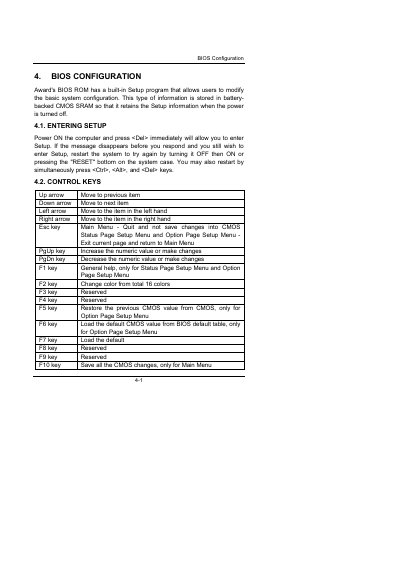
This manual provides detailed instructions for configuring the Award 6VA7 BIOS. It covers entering the setup utility, using control keys, accessing help, and navigating the main menu and sub‑menus.

Key sections include the Standard CMOS Setup Menu, BIOS Features Setup, memory and boot options, power‑management settings, and floppy drive configuration. The document also lists default values and explains how to save, restore, or reset settings.

What's inside

  • Entering Setup
  • Control Keys
  • Getting Help
  • Main Menu
  • Standard CMOS Setup Menu
  • BIOS Features Setup
  • Memory Settings
  • Boot Options
  • Power Management
  • Floppy Drive Settings

Specifications

Date format,
Time format
Base Memory typical size512 K – 640 K
CPU L2 Cache ECC Checking defaultEnabled

Frequently asked questions

How do I enter the BIOS setup?

Power on the computer and press immediately.

How can I save changes made in the BIOS?

Press the F10 key to save all CMOS changes.

How do I restore the previous CMOS values?

Press the F5 key to restore the previous CMOS value.

Download PDF (1.9 MB)

More BIOS Manuals


View all BIOS manuals →