
This document introduces the features and characteristics of Canon SELPHY printers, including preparation, printing methods, various features, installation, maintenance, and storage.
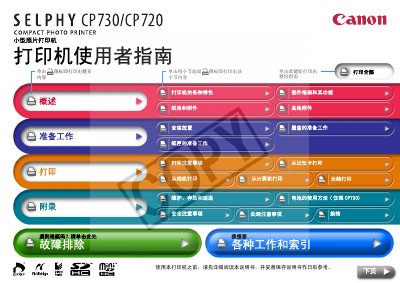
The Canon SELPHY CP730/CP720 is a compact dye‑sublimation photo printer that supports multiple paper sizes (L, postcard, card, wide) and offers several printing methods, including direct printing from memory cards, cameras, computers, Bluetooth, IrDA and Wi‑Fi adapters. It features a color LCD screen (2.0" for CP730, 1.5" for CP720) and dedicated ink cartridges.
The user guide covers preparation steps, cartridge and paper‑tray loading, all available printing options, installation guidelines, safety and handling, as well as detailed troubleshooting procedures and maintenance tips. This manual is written in Chinese.
| Printing method | Dye‑sublimation transfer with protective film |
|---|---|
| Resolution | 300 × 300 dpi |
| Color depth | 256 levels per color |
| Ink type | Dedicated Y/M/C cartridges + protective film |
| Supported paper sizes | L, postcard, card, wide |
| Print speed (postcard) | ≈1.7 seconds |
| LCD screen size | 2.0 in (CP730) / 1.5 in (CP720) |
| Interface | USB (Mini‑B to PC, Mini‑B to camera), optional IrDA, Bluetooth (BU‑20), Wi‑Fi (WA‑1E) |
Insert the memory card into the printer’s card slot and select the memory‑card printing option.
Install the optional CP730 battery (sold separately) and charge it; see the appendix section “Battery usage method” for details.