
This document is the user manual for Philips phone X2700, which mainly introduces the functions and operation methods of the phone.
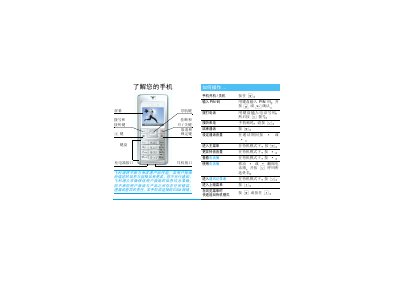
This manual introduces the basic functions of a Philips mobile phone, including how to insert the SIM card, power the device on and off, make and receive calls, adjust volume, use the address book, send SMS, and navigate the menu. Detailed sections cover input methods, multimedia features, and the use of accessories such as chargers and car‑kit hands‑free units.
Additional chapters explain battery charging procedures, battery life expectations, safety warnings, and a comprehensive troubleshooting guide. The document ends with information on Philips original accessories, warranty terms, and customer service contacts. This manual is written in Chinese.
| Maximum talk time (full charge) | 2–7 hours |
|---|---|
| Battery indicator bars | 4 bars, each representing charging level |
Press and hold the power key until the phone starts.
Ensure the charger plug is correctly inserted into the phone’s charging port; the icon will appear after a short time.
Remove the battery cover, slide the SIM card into the slot with the cut corner aligned, then replace the cover.