
This is a Philips GoGear MP3 player, model SA02802, supports XP (SP3) / Vista / 7 operating systems, the maximum capacity is 500Mb. The player has multiple functions, including playing music, recording, and radio.
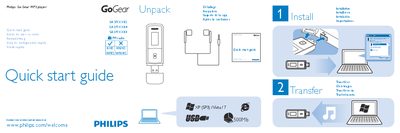
This guide provides step‑by‑step instructions for unpacking, installing software, and getting started with the Philips GoGear MP3 player. It explains how to power the device on and off, adjust volume, navigate menus, and use playback functions.
Key features covered include FM radio setup (including auto‑tune and preset storage), voice recording, and troubleshooting tips for common issues such as the device not powering on or software installation problems.
| Supported PC operating systems | Windows XP (SP3), Vista, 7 |
|---|---|
| FM radio availability | Available on some versions |
Press and hold the main button to switch the player on or off.
Select the [Start voice recording] option to begin recording, then press the button again to stop.
Choose the Auto tune option to search for stations; up to 30 stations can be saved as presets.