
The document introduces a product with FM and MW radio functions, supports HDMI output, and has multiple audio output interfaces. It also includes some radio frequencies and video input interfaces.
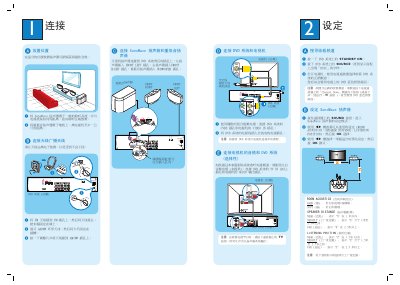
This guide explains how to place the SonoWave speakers and sub‑woofer for optimal sound, including front‑left, front‑right, and surround channels. It also covers connecting the DVD system to the TV via CVBS, TV IN, and audio inputs, as well as using USB and MP3 Direct playback.
The manual details the Room Acoustics settings (HARD, SOFT), speaker distance options, and listening position presets. Troubleshooting tips address common issues such as no image or no sound, and provide steps to verify connections and remote‑control functions. This manual is written in Chinese.
| USB input | available |
|---|---|
| MP3 DIRECT output | available |
| FM radio | supported |
| AM/MW antenna | supported |
Use the remote to select the ROOM ACOUSTICS setting (HARD or SOFT).
Verify the speaker connections and the speaker settings on the system.
Connect the DVD's CVBS port to the TV's VIDEO IN port.