
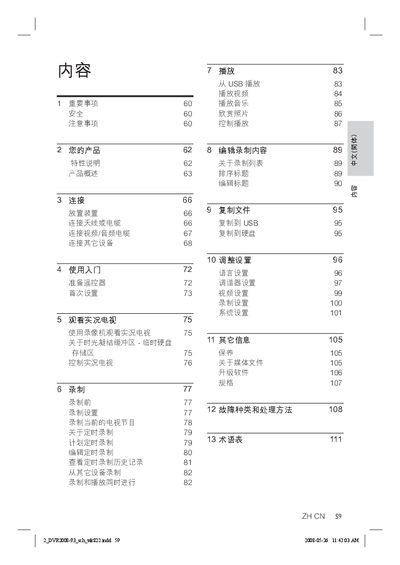
This document mainly introduces the use of DVR2008-93, including safety matters, product introduction, connection, getting started, watching live TV, recording, playback, editing recorded content, copying files, adjusting settings, other information and troubleshooting methods.
The Philips DVR2008-93 is a digital video recorder with a built‑in 160 GB hard drive that can record up to 123 hours of video in long‑play mode. It supports DivX Ultra, S‑Video, and various audio formats, and allows media storage via USB or an internal Media Jukebox.
The manual covers safety warnings, initial setup, antenna and cable connections, menu navigation, recording options (including timed and live TV recording), playback controls, system settings, troubleshooting, and a glossary of terms. This manual is written in Chinese.
| Hard drive capacity | 160 GB |
|---|---|
| USB upgrade support | Upgrade software via USB flash drive |
| DivX Ultra support | Plays DivX Ultra files |
Press the Play/Pause button to pause any live‑TV program; press it again to resume playback.
Insert a USB flash drive with the update files, then follow the on‑screen prompts to upgrade the software.