
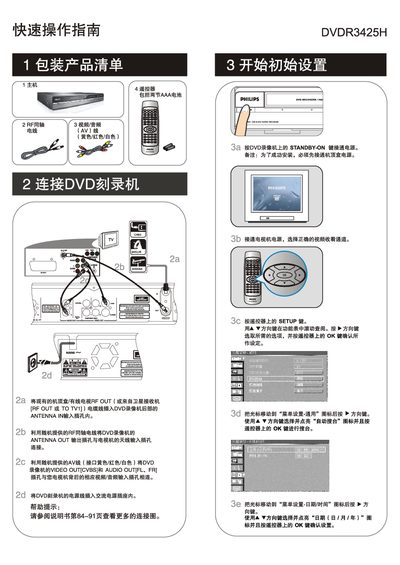
This guide shows how to connect the DVDR3425H to a TV or set‑top box using the supplied RF coaxial cable or AV cables, and how to power the unit. It also explains how to select the correct input source on the TV and how to configure basic menu settings such as auto‑search and date/time.
The manual then describes how to insert a recordable DVD, choose a source, set recording quality, and start, pause, or stop a manual recording. It includes supported disc formats and typical recording times for each quality level, as well as how to play back recorded titles from DVD or the internal hard‑disk. This manual is written in Chinese.
| Supported disc formats | DVD+R, DVD+RW, DVD‑R, DVD‑RW |
|---|