
This document is the user manual of Philips mobile phone, which mainly introduces the functions and usage methods of the mobile phone
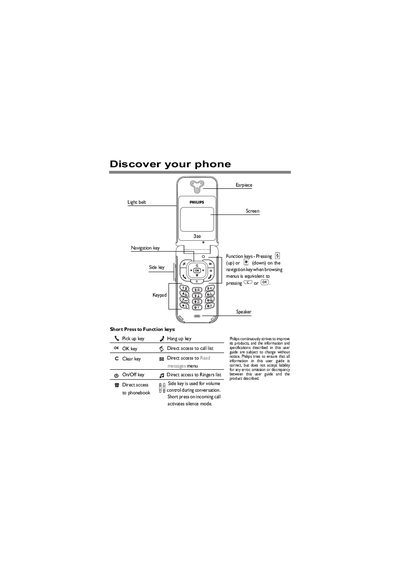
This guide covers everything you need to know to use the Philips Discover phone, from initial setup and inserting the SIM card to navigating the carousel of icons, making and receiving calls, sending SMS and e‑mail, and using the built‑in organizer and extras. Detailed instructions are provided for each function, including voice commands, quick settings, and WAP services.
The manual also includes troubleshooting tips, warranty information, and a glossary of terms. It is organized into clear sections such as Getting Started, Operating Your Phone, Calls and Messages, Phonebook Management, Settings, and Extras, making it easy to find the information you need.
Enter the phone number on the keypad and press NG to dial, or press the Call key and then press NG.
In idle mode, press the colon (:) key to open the phonebook directly.
In idle mode, press and hold the @2 key, select the desired language, and press K to confirm.