
This manual introduces how to use this machine, including connection, function overview, startup, disc operation, etc.
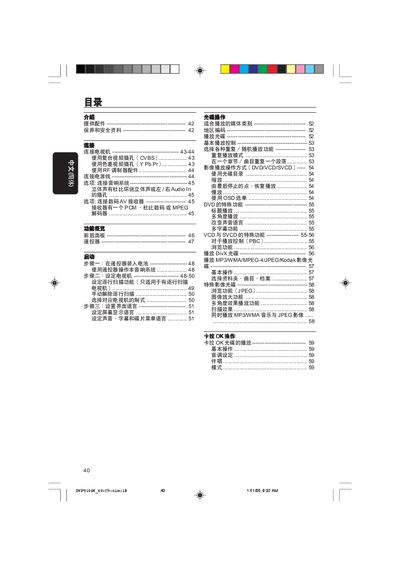
This manual provides step‑by‑step instructions for operating the Philips DVP5100K DVD player, including basic playback functions, menu navigation, and remote‑control usage. It also details how to set up video and audio connections such as CVBS, YPbPr, component and RF inputs.
Additional sections cover safety precautions, troubleshooting tips, and a full list of technical specifications like video resolution, power consumption, dimensions and weight. This manual is written in Chinese.
| Horizontal video resolution | 720 pixels |
|---|---|
| Standby power consumption | <0.8 W |
| Dimensions (W×H×D) | 435 mm × 37 mm × 265 mm |
| Weight | 2.0 kg |
Press the remote’s numbered keys, NEXT, PREV, PLAY/PAUSE, and other function buttons to move through menus, select chapters, and control playback.
The unit consumes less than 0.8 W in standby mode.