
This manual explains how to use the Panasonic DVR-SR52, which is a digital video recorder that allows you to record TV programs and save them to the hard drive. It can also record from DVDs, camcorders, and other devices. The manual covers connecting the DVR, setting up TV programs, recording programs, playing back and editing recorded content, and playing DVDs.
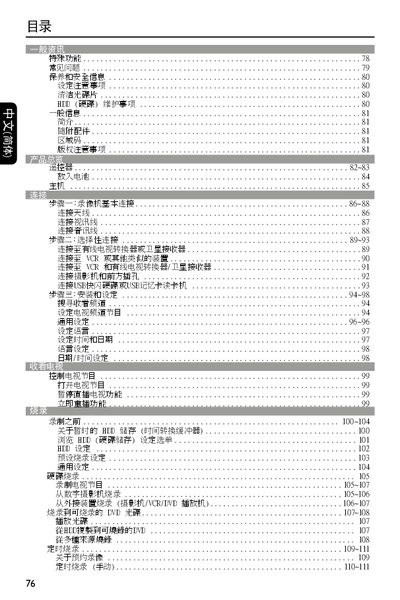
The guide covers the main functions of the DVD player, including DVD‑HR/HRW and DVD+R/DL playback, direct recording to DVD or internal HDD, and special features such as instant replay and pause‑live view. It also describes how to connect external devices like VCRs, USB drives, and FireWire cameras.
Installation steps, safety precautions, and recommended operating conditions are provided, along with information on disc compatibility, region coding, and audio/video output options. Technical specifications such as supported disc capacities and audio formats are listed in the later sections. This manual is written in Japanese.
| Supported DVD capacity | 4.7 GB |
|---|---|
| Supported disc types | DVD‑HR, DVD‑HRW, DVD+R/DL |
The player supports DVD‑HR, DVD‑HRW and DVD+R/DL discs.
A standard DVD‑HR disc can hold up to about 4.7 GB, which corresponds to roughly 2 hours of video at normal quality.