
This is the instruction manual for the Samsung VP-D20/D21 camera, which introduces the camera's usage methods.
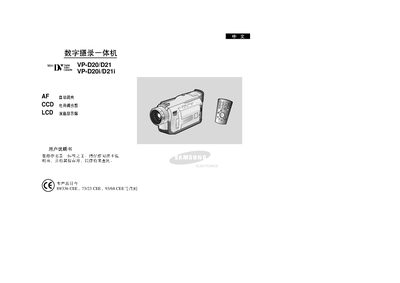
The manual begins with safety precautions, warning users about high temperature, moisture and proper handling of the LCD screen. It explains basic concepts of the all‑in‑one camcorder, lists the supplied accessories, and describes how to connect the device to a TV or PC via HDMI and IEEE‑1394.
Detailed sections cover remote‑control functions, battery installation and charging, first‑time recording procedures, image‑stabilization features, digital zoom, white‑balance, and various shooting modes such as Night Capture and Slow Shutter. Maintenance tips include cleaning the video head and protecting the LCD from over‑rotation. This manual is written in Chinese.
| Focus mode | Auto Focus (AF) |
|---|---|
| Display | LCD liquid crystal display |
| Battery type | Rechargeable battery pack |
| Maximum operating temperature | 60 °C |
If the condensation‑prevention function is enabled, place the camcorder in a warm, dry environment for several hours before use and keep the protective cover on.
Fully charge the battery pack before the first recording session and charge it completely each time before use.
Rotate the LCD screen carefully and avoid excessive rotation, which can damage the display and its connection to the camcorder.