
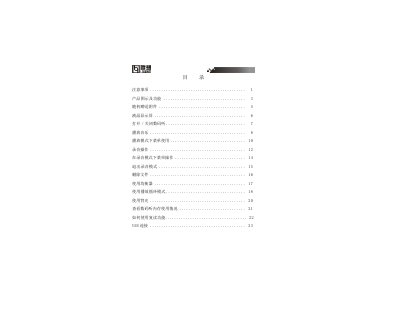
This user manual for the Lenovo digital audio player covers precautions, product diagrams and controls, included accessories, the LCD display, power on/off, music playback, playback menus, recording operations, file deletion, equalizer, loop modes, backlight, memory usage, A-B repeat, and USB connection.
It also describes installing and using the player management software, transferring files, formatting the player memory, troubleshooting, and technical specifications. The specifications include 64/128M internal memory, AAA alkaline battery, 96x26 dot-matrix blue EL backlight, MP3/WMA music formats, ADPCM recording, and a 20HZ-20KHZ output frequency range. This manual is written in Chinese.
| Storage capacity | 64/128M internal |
|---|---|
| Battery | AAA alkaline battery |
| LCD display | 96x26 dot matrix, blue EL backlight |
| Dimensions | 94mm x 30mm x 22mm |
| Signal-to-noise ratio | 90dB |
| Earphone output power | 5mW + 5mW |
| Output frequency range | 20HZ-20KHZ |
| Recording sampling frequency | 8KHZ |
| Music formats | MP3, WMA |
| Recording format | ADPCM |
| Supported compression bitrate | 32Kbps — 256Kbps |
It uses an AAA alkaline battery.
It supports MP3 and WMA music formats.
The manual says to use the formatting tool provided in the management software, not Windows formatting.
Part of the memory is used to store the program and the Chinese character font.