
This MP400 manual introduces various functions of the player, including recording, playing music, etc.
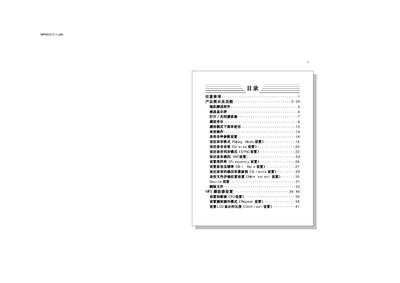
This manual covers all aspects of using the MP400 MP3 player, including safety precautions, button functions, LCD display details, playback controls, recording options, and menu navigation. It also explains how to connect the device to a PC, install the management software, and manage files.
Additional sections provide troubleshooting tips for common issues such as power problems, USB connection errors, and audio playback anomalies, followed by a complete list of technical specifications for the device. This manual is written in Chinese.
| Storage capacity | 64/128M / 256M / 512M (built‑in) |
|---|---|
| Battery | Ni‑MH 720 mAh (rechargeable) + optional AAA alkaline |
| LCD display | 100 × 56 dot matrix blue EL backlight |
| Dimensions | 62 mm × 62 mm × 15 mm |
| Signal‑to‑noise ratio | 90 dB |
| Headphone output power | 5 mW + 5 mW |
| Frequency response | 20 Hz – 20 kHz |
| Recording compression rate | 8 kbps – 256 kbps |
| Supported music formats | MP3, WMA |
| Supported recording formats | MPEG‑1 Layer 3, MPEG‑2 Layer 3, MPEG‑1 Layer 2.5 |
| Display languages | Simplified Chinese, English |
| Maximum MP3 bitrate | 8 kbps – 320 kbps |
| Memory expansion | MMC card slot |
Check that a battery is installed and has charge; if the battery is missing or dead, insert a charged battery or wait a few seconds after re‑inserting it.
WMA playback and recording consume roughly twice the current of MP3 playback, which reduces battery life.
It indicates that the battery voltage is low and the player will shut down automatically; replace or recharge the battery.