
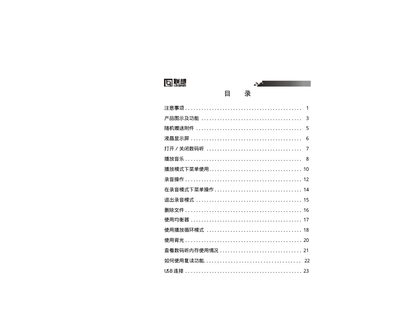
This is a digital hearing manual that introduces the use of digital hearing, including turning on, turning off, playing music, recording, deleting files, using equalizer, using playback loop mode, using backlight, checking digital hearing memory usage, how to use repeat function, USB connection, etc.
This manual explains how to operate the Lenovo Digital Player, including playback modes, memory management, and button functions. It also contains safety guidelines such as avoiding moisture and handling the battery correctly.
Technical details such as storage capacity, display size, audio output power, and supported audio formats are listed, along with troubleshooting steps for common issues like low battery warnings and file formatting errors. This manual is written in Chinese.
| Display size | 96 × 26 dots (LCD) |
|---|---|
| Dimensions | 94 mm × 30 mm × 22 mm |
| Audio output level | 90 dB |
| Headphone output power | 5 mW + 5 mW |
| Frequency response | 20 Hz – 20 kHz |
| Sampling frequency | 8 kHz |
| Supported audio formats | MP3, WM, ADPCM |
| Supported audio formats (cont.) | ADPCM |
| Bitrate range | 32 kbps – 256 kbps |
When the LCD displays "Low Battery", you should replace the battery as soon as possible.
No. The player must be formatted with the provided formatting tool; using Windows formatting can damage the device.
The plug‑and‑play function works only on Windows 2000, Windows XP, Windows 98 and Windows 98SE; other versions do not support it.