
This manual describes the cables and connectors used for RS-485 communication among units with Panasonic Security Data Link (PS . Data) capability
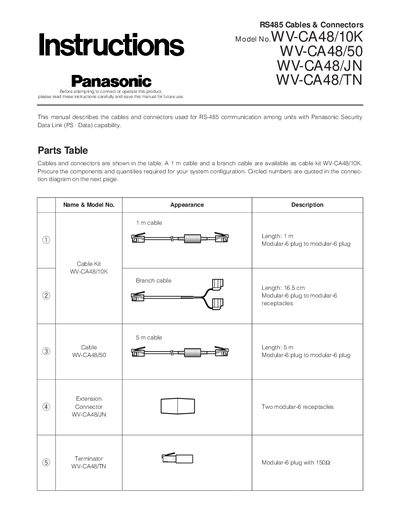
The document describes the RS‑485 cables and connectors used with Panasonic Security Data Link (PS‑Data) capable units. It includes a parts table that lists the available 1 m cable kit (WV‑CA48/10K), 5 m cable (WV‑CA48/50), branch cable (WV‑CA48/JN), and terminator (WV‑CA48/TN) together with their connector types.
Connection instructions cover how to terminate the RS‑485 bus, emphasizing that termination must be applied at both ends of the chain and that units without a termination switch require an external terminator. The manual also gives handling precautions such as keeping cables away from power lines and supporting cable weight when unplugging.
| 1 m cable length | 1 m |
|---|---|
| 5 m cable length | 5 m |
| Branch cable length | 16.5 cm |
| Connector type | Modular‑6 plug to modular‑6 plug |
| Terminator type | Modular‑6 plug with 150 Ω termination |
Termination should be made on both ends of the chain; units in the middle should have termination turned off.
No, the cable must not be fastened together with power cords or other electric power lines to avoid communication errors.