
KV-S2025CCN / KV-S2026CCN KV-S2045CCN / KV-S2046CCN scanner user manual, introduces the system requirements, installation steps, and usage instructions of the scanner.
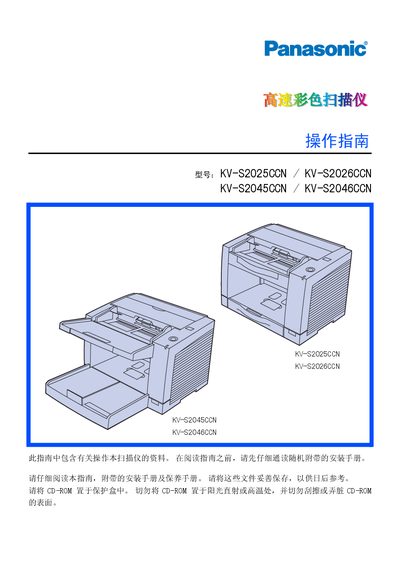
Panasonic KV-S2025CCN, KV-S2026CCN, KV-S2045CCN and KV-S2046CCN are high-speed color scanners. This document is their operating instructions and includes precautions, parts descriptions, power-on sequence, indicator lights, SCSI settings, paper-jam clearing, cleaning, consumable replacement, sensor-roller reinstallation, repacking and technical specifications.
It also lists host computer requirements, including CPU, memory, operating system, recommended SCSI board and USB interface, plus safety notes for roller cleaning paper. This manual is written in Chinese.
| CPU (minimum) | Pentium II, 300 MHz |
|---|---|
| CPU (recommended) | Pentium III, 800 MHz or higher |
| Memory, black-and-white scanning (minimum) | 128 MB |
| Memory, black-and-white scanning (recommended) | 256 MB or higher |
| Memory, color scanning (minimum) | 256 MB |
| Memory, color scanning (recommended) | 512 MB or higher |
| Recommended SCSI board | Adaptec SCSI 2930U / 2940U / 29160N / 19160 |
| Energy Star | Panasonic is an ENERGY STAR partner and the product meets ENERGY STAR energy-efficiency guidelines |
The manual lists a minimum Pentium II 300 MHz CPU, at least 128 MB RAM for black-and-white scanning or 256 MB for color scanning, and supported Windows, SCSI or USB interfaces.
Adaptec SCSI 2930U, 2940U, 29160N and 19160 are recommended.
Do not ingest or inhale the liquid, which contains isopropyl alcohol; it may irritate sensitive skin, so wear protective gloves; keep it away from heat or open flame; store it below 40 C; and use it only for cleaning rollers and the scan area.
Currency, copyrighted materials except for private use, certificates, licenses, passports, and official or private documents should not be copied.