
This document is the user manual for ONDA VX767 series player, which introduces the various functions and usage methods of the player.
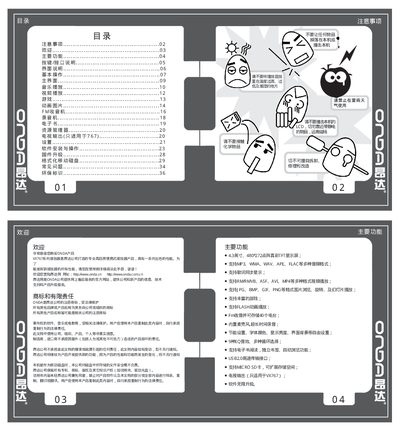
This manual introduces the VX767 series portable media player, describing its main functions, supported media formats, and hardware specifications such as a 4.3‑inch 480×272 TFT display and high‑capacity lithium battery. It also explains how to connect accessories, use the USB 2.0 interface, and expand storage with Micro SD cards up to 32 GB.
Detailed sections cover basic operation, music and video playback, FM radio, e‑book reading, recording, settings, firmware upgrades, and troubleshooting. Safety warnings and environmental information are included to ensure proper use and maintenance. This manual is written in Chinese.
| Display | 4.3‑inch 480×272 TFT |
|---|---|
| Audio formats | MP3, WMA, WAV, APE, FLAC |
| Video formats | RM, RMVB, AVI, MP4, WMV, etc. |
| Image formats | JPG, BMP, GIF, PNG |
| Micro SD capacity | 128 MB – 32 GB |
| Battery | High‑capacity lithium |
| Charging voltage/current | 5.0‑5.2 V, 1‑1.5 A |
| USB interface | USB 2.0 high‑speed |
| FM radio stations | Supports up to 40 stations |
| TV output | Available (VX767 only) |
Press the RESET key to power off and restart the device.
Connect the player to a PC via the USB port, open the removable disk in My Computer, and use Windows' format tool to perform a quick format.
The player supports Micro SD cards from 128 MB up to 32 GB.