
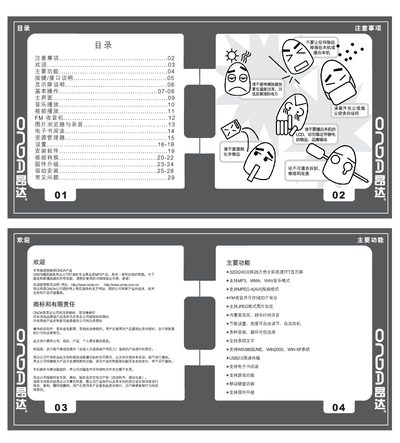
This manual covers all functions of the ONDA VX979 MP3 player, including music playback, video playback, FM radio, image browsing, e‑book reading, recording, and built‑in games. It explains button and interface operations, power management, USB connectivity, and how to install the supplied driver software.
Additional sections describe system settings such as language selection, display brightness, EQ presets, FM station storage, and firmware upgrade procedures, followed by a troubleshooting guide for common issues like power failure, no sound, or display errors. This manual is written in Chinese.
| Display | 320×240 TFT, 262,144 colors |
|---|---|
| Audio formats | MP3, WMA, WAV |
| Video format | MPEG‑4 (AVI) |
| FM radio | Receive and store up to 20 stations |
| USB | USB 2.0 high‑speed transfer |
| Battery | High‑capacity rechargeable battery |
| Expandable storage | Mini‑SD card 128 MB – 2 GB |
Set the power switch to ON and hold the play key for about 5–6 seconds until the startup screen appears.
Check that the battery has charge, then connect the power adapter and try again. If it still does not start, contact customer service.
Download the latest firmware from www.onda.cn, extract the .rw file, then use the firmware upgrade menu while the player is connected to a PC via USB to install it.
Power off the device, then pull the ON/OFF switch to OFF and turn it back on, or use the power reset button to restart.