
ONDA PC Camera is a USB camera that supports auto/manual exposure, auto/manual brightness adjustment, auto/manual color compensation, auto/manual white balance, manual focus, special digital zoom technology, multiple image special effects setting functions, special loading frame functions, and supports various video chat, video conferencing software.
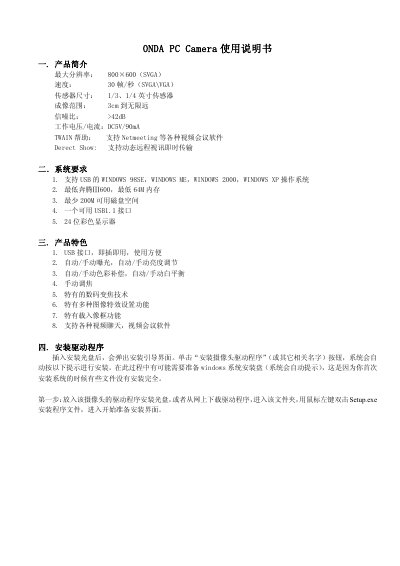
The manual introduces the ONDA PC Camera, highlighting its 800×600 (SVGA) maximum resolution, 30 fps frame rate, 1/3‑ or 1/4‑inch sensor, and DC5V/90 mA power consumption. It also lists system requirements such as Windows 98SE/ME/2000/XP, a Pentium III 600 MHz CPU, 64 MB RAM, 200 MB free disk space, and a USB 1.1 port.
Installation steps guide the user to insert the driver CD (or download the driver), run Setup.exe, and follow the on‑screen prompts. Subsequent sections cover camera setup, focus adjustment, video capture settings, digital zoom, image effects, and precautions for safe use. This manual is written in Chinese.
| Maximum resolution | 800×600 (SVGA) |
|---|---|
| Frame rate | 30 fps (SVGA/VGA) |
| Sensor size | 1/3 or 1/4 inch |
| Working voltage / current | DC5V / 90 mA |
| Signal‑to‑noise ratio | >42 dB |
The camera works with Windows 98SE, Windows ME, Windows 2000, and Windows XP.
Insert the driver CD (or download the driver), double‑click Setup.exe, and follow the installation wizard prompts.
Digital zoom works only when the resolution is below 640×480.
Do not touch the lens with sharp objects, avoid extreme temperatures, dust, or humidity, and do not drop the camera.