
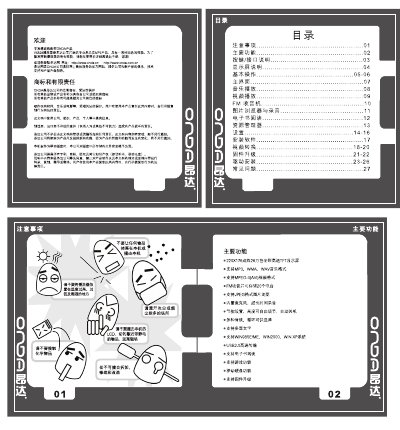
This manual introduces the VX828 MP3 player, describing its key functions such as music playback, video playback, FM radio, image browsing, recording, and e‑book reading. It also details the button layout, interface connections, and how to connect the device to a computer via USB for data transfer and firmware upgrades.
The guide provides step‑by‑step instructions for using the main menu, adjusting settings (display, sound, language, power‑saving), and handling common issues like power‑on problems, audio glitches, and FM reception. A troubleshooting section at the end helps users resolve typical faults. This manual is written in Chinese.
| Display | 220×176 dot matrix, 262,144‑color high‑speed TFT |
|---|---|
| Audio formats | MP3, WMA, WAV |
| Video format | MPEG‑4 (AVI) |
| FM radio | FM receiver with storage for 20 stations |
| Image format | JPEG |
| Microphone | Built‑in microphone for long‑time recording |
| USB interface | USB 2.0 high‑speed transfer |
| Battery | High‑capacity lithium battery |
Check whether the battery is depleted, connect the power adapter and try again; if it still does not power up, contact customer support.
Make sure the volume is not set to zero and verify that the headphone plug is properly connected.
Adjust the position of the headphones, keep away from nearby electrical devices, and you can also use the headphones as an antenna.
Press the RESET button to power‑cycle the device and restart it.