
This is a Bluetooth stereo headset, model SHB6000, produced by Philips. The headset can be connected to a mobile phone for phone calls, music playback and other functions.
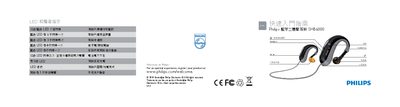
The manual describes the LED and sound indicators that convey the earphone’s status. A blue LED flashes every 6 seconds when the earphones are connected, a red LED flashes three times per minute to signal low battery, and the LEDs turn off when the device is powered down or charging is complete.\n\nIt also explains how to charge the earphones, select the appropriate ear tips, pair the device with a phone, and control playback and calls using the built‑in button. Step‑by‑step instructions cover removing the USB charger, holding the button to enter pairing mode, and using the LED cues to confirm actions. This manual is written in Chinese.
| Blue LED indicator | Flashes every 6 seconds when connected |
|---|---|
| LED status on charging complete | LED turns off when charging is finished |
The blue LED flashes every 6 seconds to show that the earphones are connected to a device.
Press and hold the button until the LED flashes, then the earphones will be ready to pair with your phone.
When charging finishes, the LED turns off.