
This quick start guide provides basic installation and setup steps for the Philips DVD recorder.
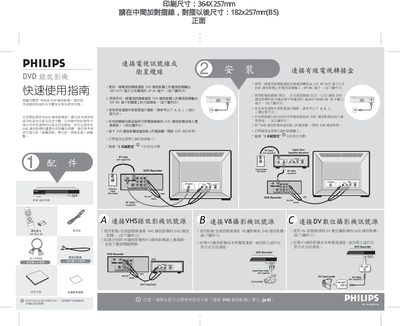
The guide provides step‑by‑step instructions for connecting the DVD Recorder to a television via RF or AV cables, selecting the appropriate input source, and powering the unit. It also covers basic setup tasks such as choosing the display language and configuring the date and time.
After installation, the manual explains how to insert a disc, choose a recording mode (HQ, SP, SPP, LP, EP, SLP), start and stop recording, and use the built‑in tools to finalize (seal) the disc for playback on other devices. Playback controls and menu navigation are also described. This manual is written in Chinese.
| Disc types supported | DVD+R, DVD+RW, DVD‑R, DVD‑RW |
|---|
Press the [Setup] key, select “语言” (language), choose the desired language, and confirm with the [OK] key.
Open the Tools menu, select “Disc Tools”, choose “Finalize”, and press [OK] to start the sealing process; once completed the disc can be played on other DVD players.