
This quick start guide explains how to charge the Philips SHB6017 Bluetooth stereo earphones, pair them with a mobile phone, and use the earphones to play music, adjust volume, answer/end calls, reject calls, redial, start voice dialing, and more.
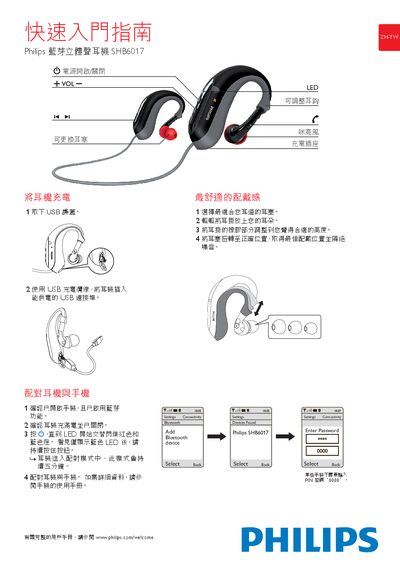
This guide explains how to charge the Philips SHB6017 Bluetooth stereo earphone using a USB connection, adjust the ear tips, and achieve a comfortable fit. It also details the steps to pair the earphone with a mobile phone via Bluetooth.
The document describes the operation controls such as play/pause, track navigation, and call handling, as well as the meaning of the LED indicators for connection status, incoming calls, low battery, and charging completion. This manual is written in Chinese.
| Charging method | USB connection |
|---|
Connect the earphones to a powered USB port using the provided USB cable; the device will charge via the USB connection.