
The Cisco 2-Channel SFP WDM Transponder is a product that expands the range of Cisco CWDM and DWDM optical solutions. It supports any client, any protocol, and any speed, and can convert any optical signal into a CWDM or DWDM channel.
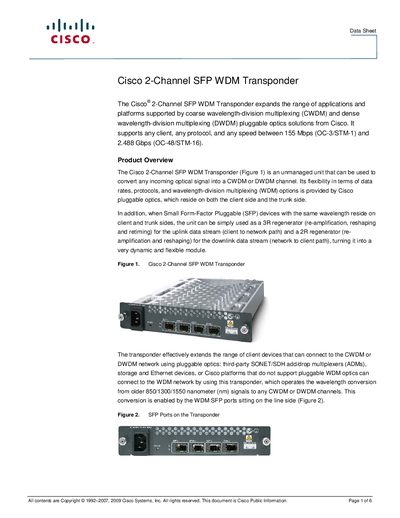
The Cisco 2-Channel SFP WDM Transponder is an unmanaged unit that converts optical signals between client and network sides, supporting CWDM and DWDM channels across a wide range of data rates (155 Mbps to 2.488 Gbps). It can host up to two line SFP optics and two client SFP optics, and can function as a 3R or 2R regenerator depending on traffic direction.
The data sheet provides electrical, mechanical, and optical specifications, LED status descriptions, ordering information, and service support details. It also lists compatible Cisco CWDM chassis and passive filters for deployment in rack‑mounted environments.
| Electrical supply voltage | 90-240VAC |
|---|---|
| Maximum power consumption | 9.7 W |
| Connector type | IEC 60320 C14 inlet plug |
| Mean time between failures (MTBF) | 24.68 years |
| Estimated weight (with 4 SFPs) | 45 lb |
| Operating temperature range | 0‑40 °C |
| Supported bit rate | 100‑2500 Mbps |
| Regeneration capability | 3R upstream, 2R downstream |
It operates from 90 VAC to 240 VAC.
Network port LEDs show green for laser on, red for laser off, and off when no SFP is present.
The transponder consumes up to 9.7 W.