
This is the user manual for Casio EX-Z500 digital camera, which mainly introduces the unpacking, features, precautions, entry guide, preliminary preparations, basic image shooting, other shooting functions, REC mode camera settings, playback and other contents.
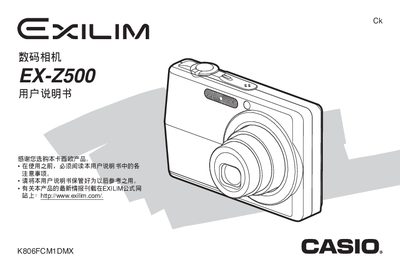
The guide covers safety precautions, battery installation, charging procedures, power on/off, and basic configuration such as language and clock settings. It also explains how to use the camera’s basic shooting functions, zoom, flash, and various shooting modes.
Advanced sections describe playback, file management, sound settings, world clock, storage‑card handling, printing via PictBridge, and connecting the camera to Windows or Macintosh computers. The appendix lists technical specifications, accessories, and troubleshooting tips. This manual is written in Chinese.
| Dimensions (camera body) | 88.5 mm W × 57 mm H × 20.5 mm T |
|---|---|
| Weight (camera, without battery) | ≈112 g |
| Battery type | Lithium‑ion rechargeable (NP‑40) |
| Battery capacity | 1300 mAh |
| Battery voltage | 3.7 V |
| Power consumption (camera) | ≈3.4 W at 3.7 V |
| AC adapter output | 5.3 V DC, 650 mA |
| AC adapter input | 100–240 V AC, 50/60 Hz, 383 mA |
| USB dock dimensions | 105 mm W × 16 mm H × 61 mm T |
| USB dock weight | ≈60 g |
Insert the battery into the camera and follow the charging procedure described in the manual.
Use the menu to configure the display language and set the date, time, and time zone.
Connect the camera via USB and follow the Windows‑specific instructions for file transfer.
Select PictBridge or USB Direct‑Print from the menu and follow the on‑screen steps to print directly from the camera.