
Instruction manual of the Rapoo M180 wireless optical mouse, including product functions, parameters and other instructions, installation steps, etc.
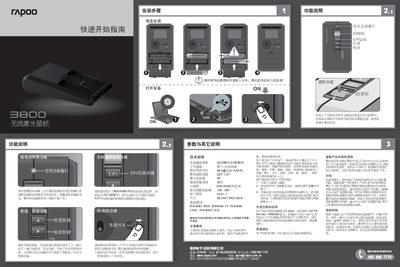
This manual explains how to install the batteries, connect the receiver, and use the mouse functions such as CPI switching, forward/back buttons, and the 3D scroll wheel. It also covers the on/off power switch and low‑voltage warning indicator.
Technical specifications are listed, including wireless frequency, tracking speed, acceleration, resolution, and supported Windows operating systems. The document also contains safety precautions, warranty information, and contact details for technical support. This manual is written in Chinese.
| Wireless carrier frequency | 2402MHz-2480MHz |
|---|---|
| Working channels | 16 channels, auto hopping |
| Rated current / voltage | 8 mA @ 3.0 V (2 AAA batteries) |
| Maximum tracking speed | 30 inches/second |
| Maximum acceleration | 8 G |
| Resolution (CPI) | 800/1600 CPI adjustable |
| Reception range | 10 m, 360° |
| Interface type | USB 1.1 |
| Dimensions | 98.5 × 57.8 × 23.5 mm |
| Supported operating systems | Windows 2000, XP, Vista, 7 |
Insert two AAA batteries and avoid discarding them in fire; place used batteries in a recycling bin.
The mouse works up to 10 meters away with 360° coverage.
Press the CPI switch on the top of the mouse to toggle between 800 CPI and 1600 CPI.