
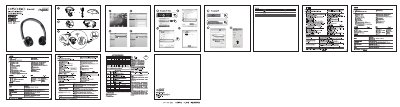
The guide explains how to charge the Rapoo H6080 headset, indicating charging status with a red LED and full‑charge status with a green LED. Power is turned on or off by holding the power button for a few seconds, and the headset can be charged via the included USB cable.
It also details Bluetooth pairing steps, including activating Bluetooth on the device, pressing the power button until the green LED blinks, and using multipoint connection to link two devices. Troubleshooting tips cover common issues such as no sound, low battery, and Bluetooth range limitations.
| Charging indicator | Red LED on when charging |
|---|---|
| Bluetooth range | Up to 10 m (walls may reduce range) |
Press and hold the power button for about 5 seconds.
Activate Bluetooth on the device, then press and hold the power button until the green LED blinks quickly.
Approximately 10 meters; walls or large objects may reduce the range.