
Key facts
- Manuals
- 18
- Categories
- 1
- Languages
- ZH · EN
- Last added
- 2026-09-29
Featured Rapoo manuals
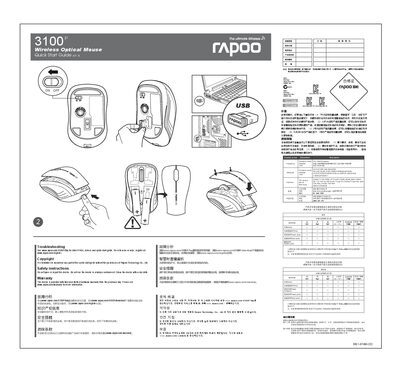
Rapoo 3100P Wireless Optical Mouse Quick Start Guide
This Quick Start Guide provides essential information to get the Rapoo 3100P wireless optical mouse up and running quickly. It includes basic usage instructions, safety warnings, and regulatory compliance details.
The guide also outlines the two‑year limited hardware warranty, troubleshooting steps, and where to download drivers or additional support resources. It warns against opening or repairing the device and advises cleaning with a dry cloth. This manual is written in Chinese.
Covers: Safety Instructions · Warranty · Troubleshooting · Regulatory Compliance · Toxic Substances Information · Contact Information

Rapoo Wired Mouse Quick Start Guide
This guide provides an overview of the Rapoo wired mouse, including the left, right, scroll wheel, DPI switch, forward and backward buttons. It explains the functions of each button and how they can be used in gaming or everyday tasks.
The document details the package contents, system requirements, installation steps, and how to configure the mouse using Rapoo's software. It also includes a troubleshooting section and warranty information. This manual is written in Chinese.
Covers: Package contents · Overview · Installation · Configuring your mouse · Trouble shooting · Warranty
Rapoo H6080 Bluetooth Foldable Headset Quick Start Guide
The guide explains how to charge the Rapoo H6080 headset, indicating charging status with a red LED and full‑charge status with a green LED. Power is turned on or off by holding the power button for a few seconds, and the headset can be charged via the included USB cable.
It also details Bluetooth pairing steps, including activating Bluetooth on the device, pressing the power button until the green LED blinks, and using multipoint connection to link two devices. Troubleshooting tips cover common issues such as no sound, low battery, and Bluetooth range limitations.
Covers: Installation · Power Button Operation · Bluetooth Pairing · Multipoint Connection · Troubleshooting
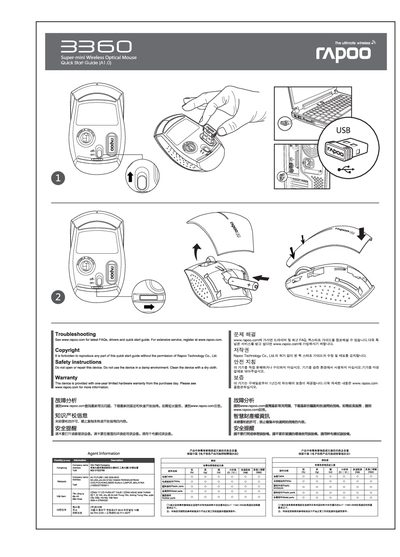
Rapoo Super-mini Wireless Optical Mouse Quick Start Guide
The guide introduces the Rapoo Super‑mini Wireless Optical Mouse and directs users to www.rapoo.com for the latest FAQs, drivers, and quick‑start resources. It includes basic safety instructions, such as not opening or repairing the device and avoiding use in damp environments.
Warranty details are outlined, offering a one‑year limited hardware warranty from the purchase date, along with instructions for service, replacement, and contact information for authorized repair centers in mainland China. This manual is written in Chinese.
Covers: Troubleshooting · Safety Instructions · Warranty · Regulatory Information · Contact Information
Latest Rapoo manuals
Rapoo 3100P Wireless Optical Mouse Quick Start Guide
Quick Start Guide 1 pages · 2.1 MB · ZHQuick start guide for the Rapoo 3100P wireless optical mouse, covering safety, warranty, troubleshooting and regulatory information.
Rapoo Wired Mouse Quick Start Guide
Quick Start Guide 20 pages · 4.2 MB · ZHQuick start guide for Rapoo wired mouse, covering package contents, installation, button configuration, and troubleshooting.
Rapoo H6080 Bluetooth Foldable Headset Quick Start Guide
Quick Start Guide 1 pages · 12.5 MB · ENQuick start guide for the Rapoo H6080 Bluetooth foldable headset, covering charging, pairing, and basic operation.
Rapoo Super-mini Wireless Optical Mouse Quick Start Guide
Quick Start Guide 2 pages · 4.2 MB · ZHThis quick start guide provides setup, safety, troubleshooting, and warranty information for the Rapoo Super-mini Wireless Optical Mouse.
Rapoo A500 Bluetooth Portable NFC Speaker Quick Start Guide
Quick Start Guide 1 pages · 3.6 MB · ENThe Rapoo A500 Quick Start Guide explains Bluetooth, NFC, and wired connections, charging, safety, and troubleshooting for the portable speaker.
Rapoo H3080 Wireless Foldable Headset Quick Start Guide
Quick Start Guide 1 pages · 6.3 MB · ENThis Quick Start Guide shows how to charge, connect, and use the Rapoo H3080 wireless foldable headset.
Rapoo S500 Bluetooth Stereo Headset Quick Start Guide
Quick Start Guide 14 pages · 13.2 MB · ZHQuick start guide for the Rapoo S500 Bluetooth stereo headset covering pairing, controls, charging and troubleshooting.
Rapoo 3600 Wireless Laser Mouse Quick Start Guide
Quick Start Guide 1 pages · 845 KB · ZHQuick start guide for the Rapoo 3600 wireless laser mouse covering functions, specs, and safety notes.
Rapoo 2600 Multimedia Trackball Keyboard User Manual
User Manual 2 pages · 1.5 MB · ZHUser manual for the Rapoo 2600 multimedia keyboard with integrated optical trackball and wireless functions.
rapoo 3800 Wireless laser mouse Manual
User Manual 1 pages · 1.5 MB · ZHThe Rapoo wireless laser mouse user manual provides installation steps, feature explanations, technical specifications, and safety guidelines.
Rapoo 8160 Wireless Multimedia Suite Quick Start Guide
Quick Start Guide 1 pages · 3.8 MB · ZHThis quick start guide shows how to set up and use the Rapoo 8160 wireless multimedia suite, including key functions, battery care, and specifications.
Rapoo V3 Gaming Mouse User Manual
User Manual 2 pages · 1.6 MB · ZHThe Rapoo V3 gaming mouse user manual provides setup steps, button customization, CPI settings, weight adjustment, and warranty details.
Rapoo 3900 Wireless Laser Mouse User Manual
User Manual 1 pages · 1.3 MB · ZHThe Rapoo 3900 wireless laser mouse user manual provides setup steps, feature descriptions, specifications, safety tips, and warranty information.
RAPOO N2800 quick Quick Start Guide
RAPOO N2200 quick Quick Start Guide
Which document do I need?
Quick Start Guide
The shortest path to a working setup, usually only a few pages.
User Manual
Day-to-day operation, settings and troubleshooting. Start here if the product is already set up.
Questions answered in Rapoo manuals
Where can I find warranty information for the mouse?
The device is provided with a two‑year limited hardware warranty; see www.rapoo.com/warranty for details.
How should I clean the Rapoo 3100P mouse?
Do not use the device in a damp environment; clean it with a dry cloth.
What is included in the package?
The package includes a wired mouse and a quick start guide.
What are the system requirements for the mouse?
It works with Windows XP, Vista, 7, Windows 8 and requires a USB port.
How do I turn the headset on?
Press and hold the power button for about 5 seconds.
From: Rapoo H6080 Bluetooth Foldable Headset Quick Start Guide
How do I pair the headset with a Bluetooth device?
Activate Bluetooth on the device, then press and hold the power button until the green LED blinks quickly.
From: Rapoo H6080 Bluetooth Foldable Headset Quick Start Guide