
This is the instruction manual of Rapoo V3 laser gaming mouse, which includes product features, installation methods, usage instructions and other contents.
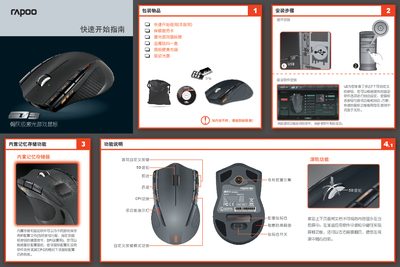
This manual covers the quick start guide, installation steps, and detailed function descriptions for the Rapoo V3 gaming mouse. It explains how to install drivers, configure up to seven programmable buttons, adjust CPI values, and use the weight‑adjustment compartment.
Additional sections include technical specifications, safety precautions, warranty information, and contact details for technical support. The document is written in Chinese and includes diagrams of the mouse layout and indicator lights.
| Resolution (CPI) | 800/1600/3200/5000 |
|---|---|
| Rated current | 60 mA @ 5.0 V |
| Image processing speed | 10000 frames/s |
| Maximum speed | 150 inches/s |
| Maximum acceleration | 30 G |
| USB report rate | up to 500 reports/s |
| USB data format | 16 bits |
| USB interface | 1.1 |
| USB cable length | 1.5 m |
| System requirements | Windows 2000, XP, Vista, 7 |
The V3 provides up to seven customizable buttons.
The mouse supports CPI values of 800, 1600, 3200 and 5000, with an initial setting of 5000 CPI.
Open the weight‑adjustment compartment and add the supplied metal weights (four 5 g and four 3 g) to suit your hand feel.
Rapoo offers a one‑year warranty from the date of purchase.