
This document introduces the various functions and features of a mobile phone, including an infrared port, voice reading key, camera key, etc.
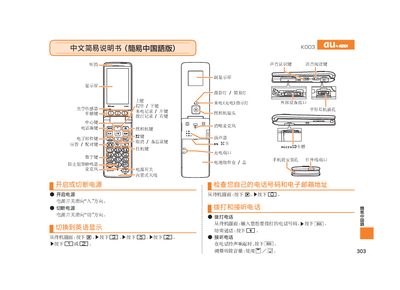
This manual provides step‑by‑step instructions for operating the au K003. It describes the layout of the device, including the main display, secondary display, optical sensor, and all functional keys such as voice‑read, call, camera, and email keys.
It also explains how to use the built‑in ports (microSD card slot, infrared port, charging port, and headphone jack), how to make and receive calls, record voice memos, capture photos and animations, manage contacts, and toggle mute mode. Contact information for au customer service is included at the end. This manual is written in Chinese.
| MicroSD card slot | Present |
|---|
From the standby screen, enter the phone number you wish to dial and press the call key.
From the standby screen, hold the mute button for more than one second; repeat to cancel mute.
Contact the au customer service center using the phone numbers listed in the manual.