
This is a simple manual for a mobile phone, including how to turn on/off the phone, switch languages, make a phone call, answer a phone call, save a phone number in the phone book, take photos, and make an international phone call.
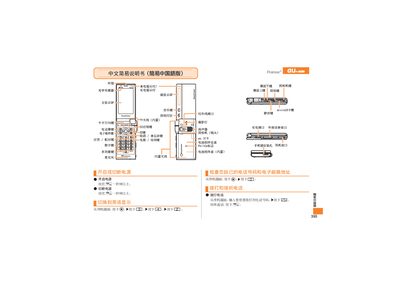
This manual provides step‑by‑step instructions for using the au by KDDI premier3 mobile phone. It explains how to power the device on and off, answer and make calls, manage contacts, and operate the camera for photos, snapshots and animations.\n\nAdditional sections cover setting mute mode, recording voice memos, making international calls, and contact information for au customer support. The guide is written in simplified Chinese and includes button symbols and screen navigation details. This manual is written in Chinese.
Press and hold the power button for more than one second.
When the phone rings, press the [ECz] button.
Dial the international access code, then the country code for the US, followed by the phone number.