
This is a manual for IS12T phone, which introduces the usage methods of the phone's power on, power off, language switching, dialing, receiving calls, saving contacts, taking pictures and other functions.
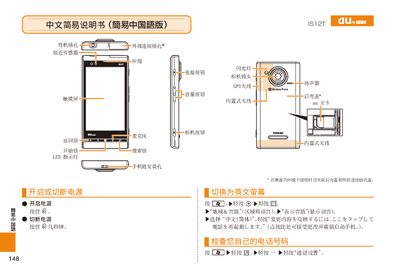
This manual provides step‑by‑step instructions for using the au G12T phone, including making calls, managing contacts, and using the camera and GPS functions. It also explains how to adjust settings such as the LED indicator and mute mode.
Additional sections cover device restart procedures, language settings, and troubleshooting tips to help users resolve common issues quickly. This manual is written in Chinese.
| LED indicator | present |
|---|
Follow the steps described to turn off mute mode.
Enter the number and press the call button to place a call.