
The HP ProLiant DL320 G5 server is an entry-level enterprise server with high manageability, a 1U height, and multiple storage options. The server supports Intel Xeon 3000 series processors, and can be configured with one or two 3.5-inch Serial ATA hard drives, and supports multiple RAID configurations.
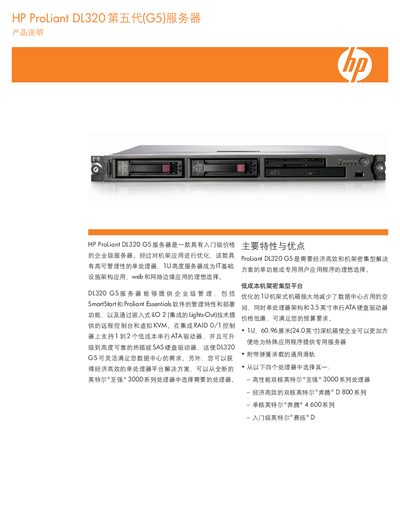
The HP DL320 G5 is a 1U rack‑mount server designed for cost‑effective, high‑density deployments, offering single‑processor Intel Xeon 3000 series options, up to 8 GB ECC DDR2 memory, and flexible storage with 1‑2 3.5‑inch SAS/SA drives.
This manual covers the server’s standard configuration, technical specifications, installation and wiring guidelines, supported operating systems, management tools such as iLO 2 and HP Systems Insight Manager, and warranty and service options. This manual is written in Chinese.
| Dimensions (H×W×D) | 4.32 x 42.62 x 60.96 cm (1.70 x 16.78 x 24.0 in) |
|---|---|
| Weight (no drives) | 10.91 kg (24.0 lb) |
| Weight (full config) | 12.27 kg |
| Input voltage range | 30 to 264 V AC |
| Rated input voltage | 100‑120 V AC / 220‑240 V AC |
| Rated input current | 6 A (100‑120 V) / 3 A (220‑240 V) |
| Rated input frequency | 47 to 60 Hz |
| Rated input power | 479 W at 230 V |
| Maximum output power | 420 W |
| Operating temperature | 10 °C to 35 °C (50 °F to 95 °F) |
| Operating relative humidity | 10 % to 90 % |
| Noise level (observer) | 44.1 dBA |
It supports the latest Microsoft Windows Server, SuSE Linux, and Red Hat Linux operating systems.
The server can be equipped with 1 to 2 × 3.5‑inch SAS/SA drives, providing up to 1.5 TB of total storage.