
The HP ProCurve Wireless Access Point 10ag is a wireless access point that supports IEEE 802.11a/b/g, can be powered by PoE or AC power, and has features such as secure connections, dual radios, and 8 SSIDs.
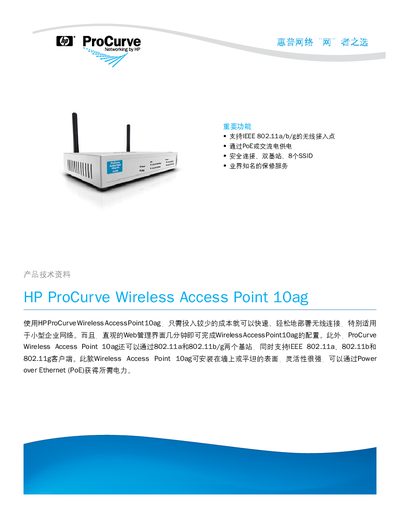
This manual describes the HP ProCurve Wireless Access Point 10ag, a dual‑band (2.4 GHz and 5 GHz) AP that supports IEEE 802.11a/b/g standards, up to 64 wireless clients, and up to 8 SSIDs (4 per radio). It includes details on security features such as WPA2, WPA, AES, TKIP, and 802.1X authentication.
The device can be powered by 48 V PoE or a 12 V DC adapter, mounts on a wall or flat surface, and offers LED status indicators. Technical specifications, regulatory compliance, warranty terms, and accessory information are also provided. This manual is written in Chinese.
| Dimensions | 10.3 × 17.8 × 3.4 cm |
|---|---|
| Processor | MIPS 4000 |
| Operating Temperature | 0 °C to 45 °C (32 °F to 104 °F) |
| Power Options | 48 V DC PoE or 12 V DC adapter |
| Supported SSIDs | 8 SSIDs (4 per radio) |
| Maximum Clients | 64 wireless clients |
| Antenna | 2.4 GHz 1.8 dBi, 5 GHz 1.8 dBi |
| Security Protocols | WPA2, WPA, AES, TKIP, 802.1X |
The AP supports up to 8 SSIDs, with 4 per radio.
It can be powered by 48 V PoE or a 12 V DC external adapter.
The AP supports WPA2, WPA, AES, TKIP, and 802.1X authentication.