
Key facts
- Brand
- YASKAWA
- Model
- SI-P3
- Industry
- Industrial
- Documents
- 2
- Languages
- EN
- Last added
- 2026-10-15
Start here
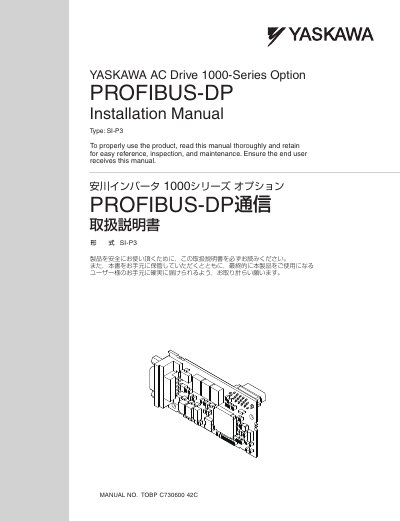
Yaskawa SI-P3 PROFIBUS-DP Option Installation Manual
The document provides comprehensive instructions for installing the Yaskawa AC Drive 1000-Series Option SI-P3. It covers safety precautions, receiving procedures, and the physical installation of the option onto compatible drive models.
Key sections include detailed wiring diagrams for the PROFIBUS-DP communication connector, cable requirements based on communication speed, and guidance on obtaining necessary GSD files. The manual also addresses related parameter settings, I/O maps, troubleshooting steps, and technical specifications.
Yaskawa SI-P3 specifications
| Connector Type | 9-pin D-sub connector |
|---|---|
| Impedance | 135 to 165 Ω at a frequency of (3 to 20 MHz) |
| Maximum Cable Capacity | 30 pF/m maximum |
| Minimum Core Cross-Section | 0.34 mm2 minimum |
Source: Yaskawa SI-P3 PROFIBUS-DP Option Installation Manual
All Yaskawa SI-P3 documents by type
Mounting, wiring and first power-up. Read it before the hardware goes in.
Questions answered in these manuals
Which Yaskawa drive models are compatible with the SI-P3 option?
The SI-P3 option is compatible with all models in the A1000 series.
What tools are required to install the SI-P3 option?
You need a Phillips screwdriver (M3 metric / #1, #2 U.S. standard size), diagonal cutting pliers, and a small file or medium-grit sandpaper.
Which YASKAWA drive models are compatible with the SI‑P3 option?
The SI‑P3 option can be used with GA500, GA700, GA800, FP605, A1000, U1000, and Z1000U drive models.
From: YASKAWA SI-P3 AC Drive Option PROFIBUS-DP Installation Manual