
Key facts
- Brand
- Thecus
- Model
- N4100PRO
- Documents
- 6
- Languages
- EN · ZH · JA
- Last added
- 2011-09-23
Start here
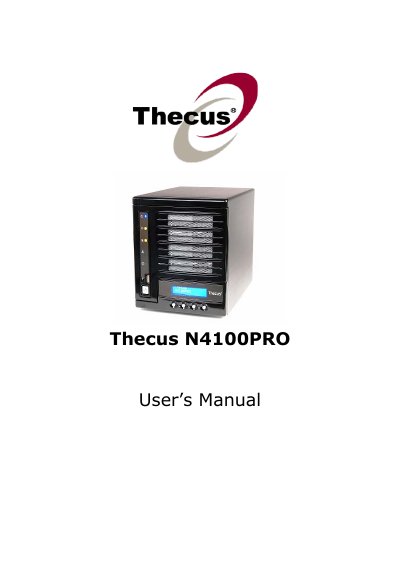
Thecus N4100PRO IP Storage Server User's Manual
The Thecus N4100PRO is an IP storage server for storing and distributing data on a network. It supports file sharing over SMB/CIFS, UNIX/Linux, and Apple OS X environments, and includes RAID features for data security and recovery. The manual covers hardware installation, first-time setup, system administration, storage management, and backup.
The document also describes safety warnings, package contents, front and rear panel layout, LCD operation, network and RAID setup, user and group authentication, media and printer services, WebDisk, and troubleshooting. This is version 3.1 of the manual, released in May 2010.
Thecus N4100PRO specifications
| Operating temperature | 0°C to 40°C |
|---|---|
| Relative humidity | 20% – 85% |
| Power supply | AC 100V ~ 240V, 50/60 Hz, 3A |
All Thecus N4100PRO documents by type
Day-to-day operation, settings and troubleshooting. Start here if the product is already set up.
Questions answered in these manuals
What is the Thecus N4100PRO?
It is an IP storage server that stores and distributes data on a network and supports RAID features for data security and recovery.
What power supply does the N4100PRO require?
It requires AC 100V ~ 240V, 50/60 Hz, 3A.
What temperature range can the N4100PRO operate in?
The device is rated for operation between 0 °C and 40 °C.
How many hard drive trays does the N4100PRO have and what size drives are supported?
It has four 3.5‑inch SATA drive trays.
What power specifications does the N4100PRO require?
It requires AC 100‑240 V, 50/60 Hz, up to 3 A.
What are the power requirements for the N4100PRO?
It requires an AC input of 100‑240 V at 50/60 Hz, drawing up to 3 A.