
Key facts
- Manuals
- 80
- Models
- 18
- Categories
- 2
- Languages
- EN · ZH · KO
- Last added
- 2012-05-04
Thecus models by category
Featured Thecus manuals
Thecus N3200 Network Storage Appliance User Manual
The Thecus N3200 is a network‑attached storage appliance that offers over 3 TB of storage, Gigabit Ethernet connectivity, hot‑swap drives, and support for Windows, Linux and macOS environments. It is designed for easy file sharing, backup, and media serving across a network.
This manual covers safety warnings, hardware installation, first‑time setup, RAID creation, system management, additional feature configuration, and troubleshooting. It also includes product specifications, customer support information, and licensing details.
Covers: Introduction · Hardware Installation · First Time Setup · System Management · Additional Feature Setup · Using the N3200
Thecus N5200B PRO N5200BR PRO Manual
This manual provides an overview of the Thecus N5200B PRO and N5200BR PRO NAS units, describing hardware components, power requirements, and supported network interfaces. It also explains how to install the device, configure RAID levels, and set up network services such as FTP, SMB/CIFS, and WebDisk.
The guide includes detailed instructions for using the web‑based GUI, managing storage pools, enabling services like DHCP, DNS, and Active Directory, and troubleshooting common issues. Compatibility with Windows, macOS, Linux, and various NAS protocols is also covered. This manual is written in Chinese.
Covers: Introduction · Hardware Overview · Installation and Power · RAID Configuration · Network Settings · Supported Services
Thecus iSeries User Manual
This manual introduces the Thecus iSeries disk array, covering basic concepts such as RAID levels, storage terminology, and system architecture. It guides users through initial setup, including hardware installation, network configuration, and accessing the Web GUI or secure shell for management.
Detailed sections describe iSCSI configuration, volume creation, cache management, and advanced operations like RAID migration, disk roaming, and system maintenance. Appendices provide certification lists, event notifications, and iSCSI initiator setup instructions.
Covers: RAID Introduction · Getting Started · Web GUI Guidelines · iSCSI Configuration · Volume Configuration · Enclosure Management
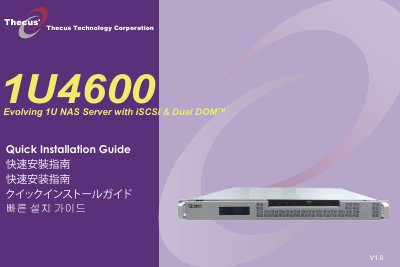
Thecus 1U4600 NAS Server Quick Installation Guide
This quick installation guide walks you through the essential steps to get the Thecus 1U4600 NAS server up and running. It covers hard‑disk installation, Ethernet cable connection to the WAN port, power‑cord hookup, and launching the web user interface.
After powering on the unit, the default IP address (192.168.1.100) and default administrator credentials (admin/admin) allow you to access the setup wizard. The wizard discovers devices on the network, lets you name the system, choose a fixed IP or DHCP, change the admin password, and finally start the browser to manage the NAS. This manual is written in Korean.
Covers: Hard Disk Drive Installation · Network Cable Connection · Power Connection and Power On · Start Web User Interface · Setup Wizard · Device Discovery
Latest Thecus manuals
Thecus N299 user manual
The document is the user manual for Thecus N299, describing the features and characteristics of the product.
Thecus N3200 Network Storage Appliance User Manual
User Manual 101 pages · 5.2 MB · ENThecus N3200 user manual provides setup, hardware installation, RAID configuration, and troubleshooting instructions.
Thecus N5200B PRO N5200BR PRO Manual
User Manual 97 pages · 2.6 MB · ZHUser manual for Thecus N5200B PRO/N5200BR PRO network attached storage device.
Thecus iSeries User Manual
User Manual 90 pages · 2.5 MB · ENThecus iSeries user manual provides setup, RAID configuration, and maintenance instructions for the disk array system.
Thecus 1U4600 NAS Server Quick Installation Guide
Quick Start Guide 6 pages · 1.5 MB · KOA quick guide for installing hard drives, connecting network and power, and setting up the Thecus 1U4600 NAS server.
Thecus N3200PRO IP Storage Appliance Quick Installation Guide
Quick Start Guide 6 pages · 1.9 MB · ZHThe quick installation guide shows how to install hard drives, connect the network, start the web interface and complete the setup wizard for the Thecus…
Thecus N8800 User Manual
User Manual 112 pages · 5.4 MB · ZHThecus N8800 User Manual provides setup, RAID configuration, and management instructions for the network storage device.
Thecus N2200 Manual(2)
Thecus N2200 Manual(1)
Thecus N2200 Manual(1)(1)
Thecus N8800SAS Manual(4)
Thecus N0503 Combo NAS FW v3.02.01 Manual
Thecus N5500 Manual(1)
User Manual 29 pages · 1.1 MB · ZHUser manual for Kelly KDC brushed motor controller series, covering features, specifications, installation and wiring.
Thecus N3200PRO Manual(1)
Thecus N4200Manual
Which document do I need?
User Manual
Day-to-day operation, settings and troubleshooting. Start here if the product is already set up.
Quick Start Guide
The shortest path to a working setup, usually only a few pages.
Questions answered in Thecus manuals
How do I reset the N3200 to factory default settings?
You can reset the device by selecting the “Reset to Factory Default Settings” option in the System Settings menu.
How can I create a RAID array on the N3200?
Use the RAID Setup wizard, accessed via the RAID Setup and Firmware Installation section, to configure the desired RAID level.
What RAM size is recommended for the iSeries?
The iSeries requires DDR‑333 memory of at least 512 MB, but larger sizes are recommended.
Which RAID levels does the iSeries support?
It supports RAID 0, 1, 3, 5, 6, 0+1, 10, N‑way mirror, and JBOD configurations.
What is the default IP address of the Thecus 1U4600?
The default IP address is 192.168.1.100.
What are the default login credentials?
Both the username and password are admin.